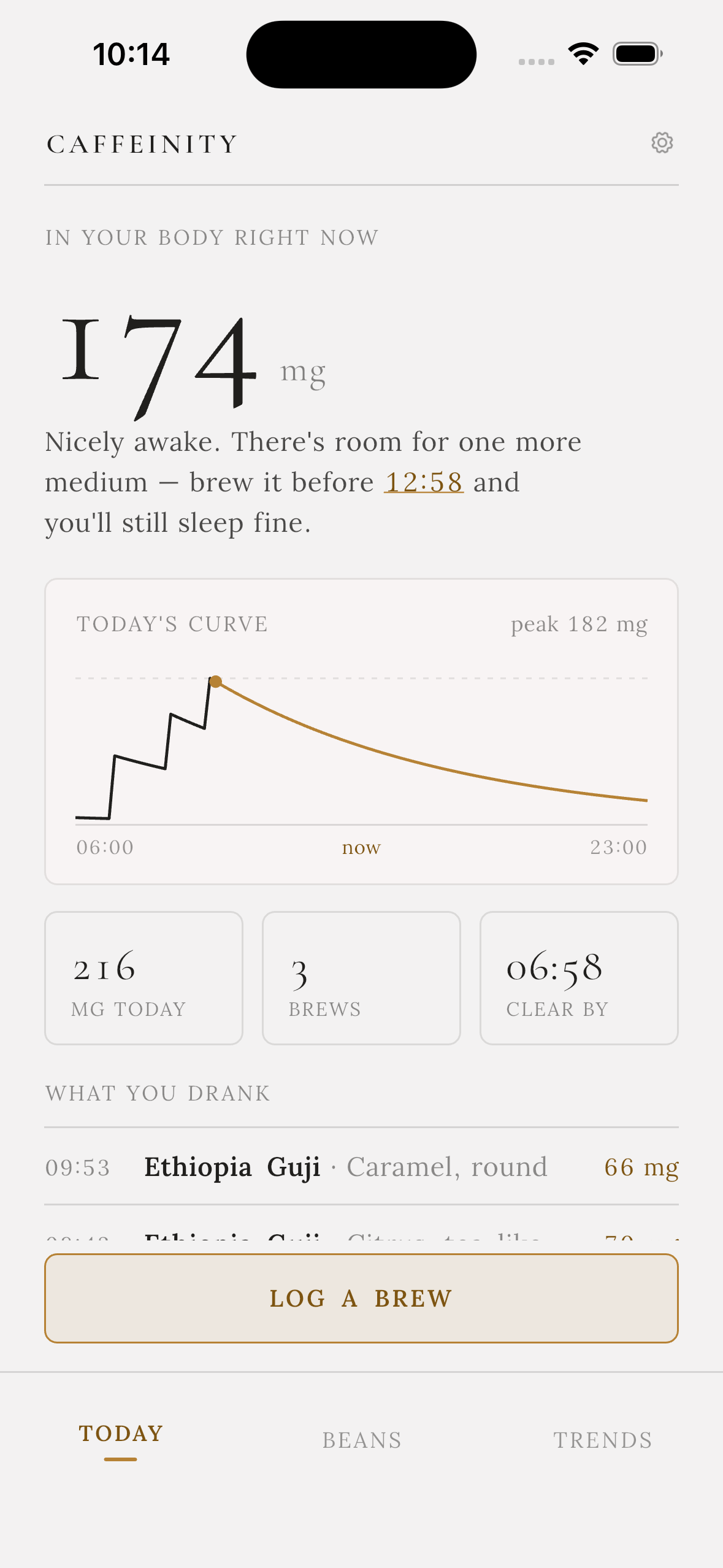
In your body right now
Track your caffeine, stocks and tastes
Caffeinity models caffeine as it actually behaves — a five-hour half-life decaying through your day, not a number that resets at midnight. Log a brew in one tap, watch the curve, and know when to stop so you still sleep.
What it does
Three screens. Nothing you have to learn.

Today — the curve you're actually on
One big number for what's in you right now, and a curve that shows the rest of the day. Caffeinity works out the last moment you can brew and still be clear by bedtime, then tells you in a sentence instead of a warning.
- Live level, daily total, brew count and a clear-by time
- Every cup you drank today, with its tasting note
- A cutoff nudge before it's too late, not after

Beans — what's on the shelf, in grams
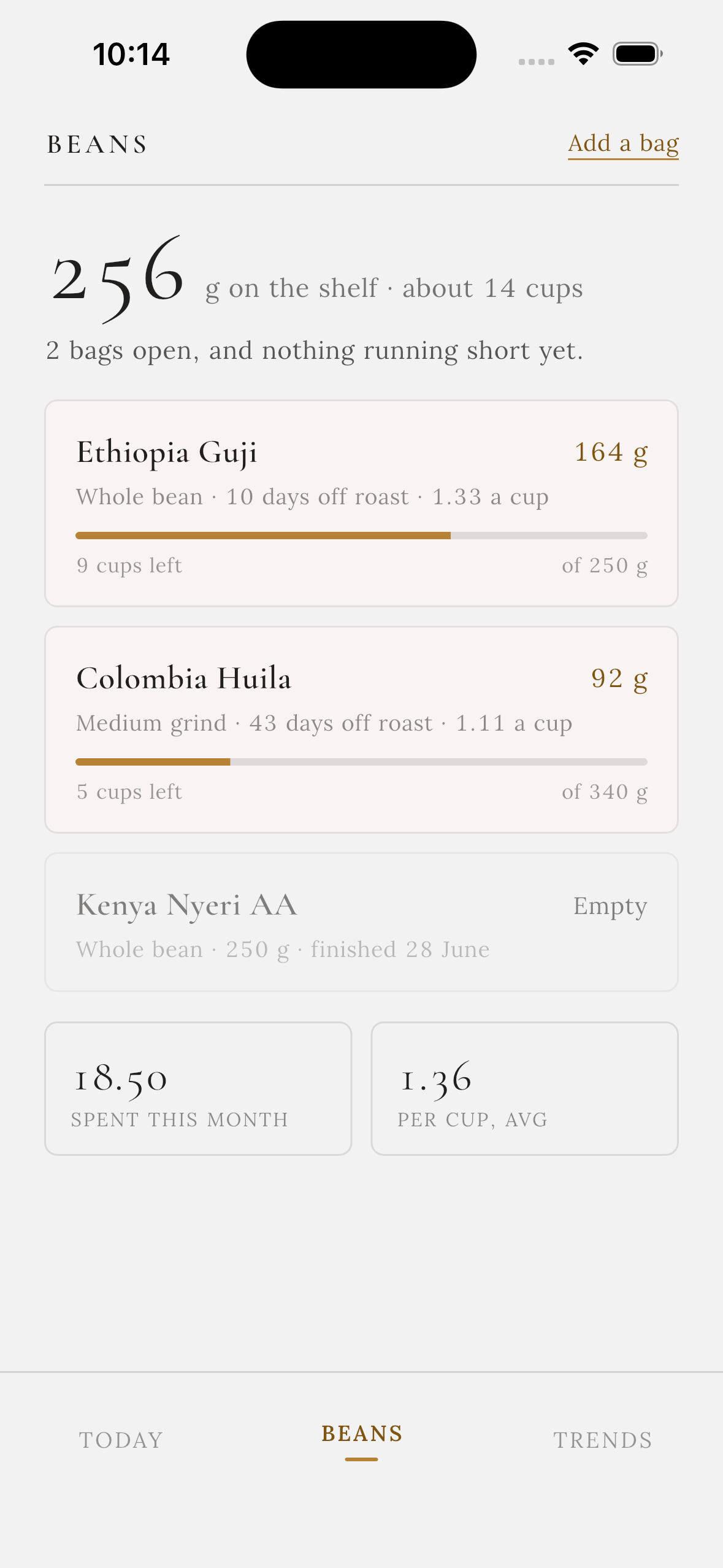
Every logged brew takes its dose off the bag. You see how many cups are left, how far off roast each bag has drifted, and what a cup is costing you — without weighing anything twice.
- Stock drawn down automatically as you log
- Days off roast, so you brew a bag while it's good
- Spend this month and average cost per cup
Trends — the shape of your habit
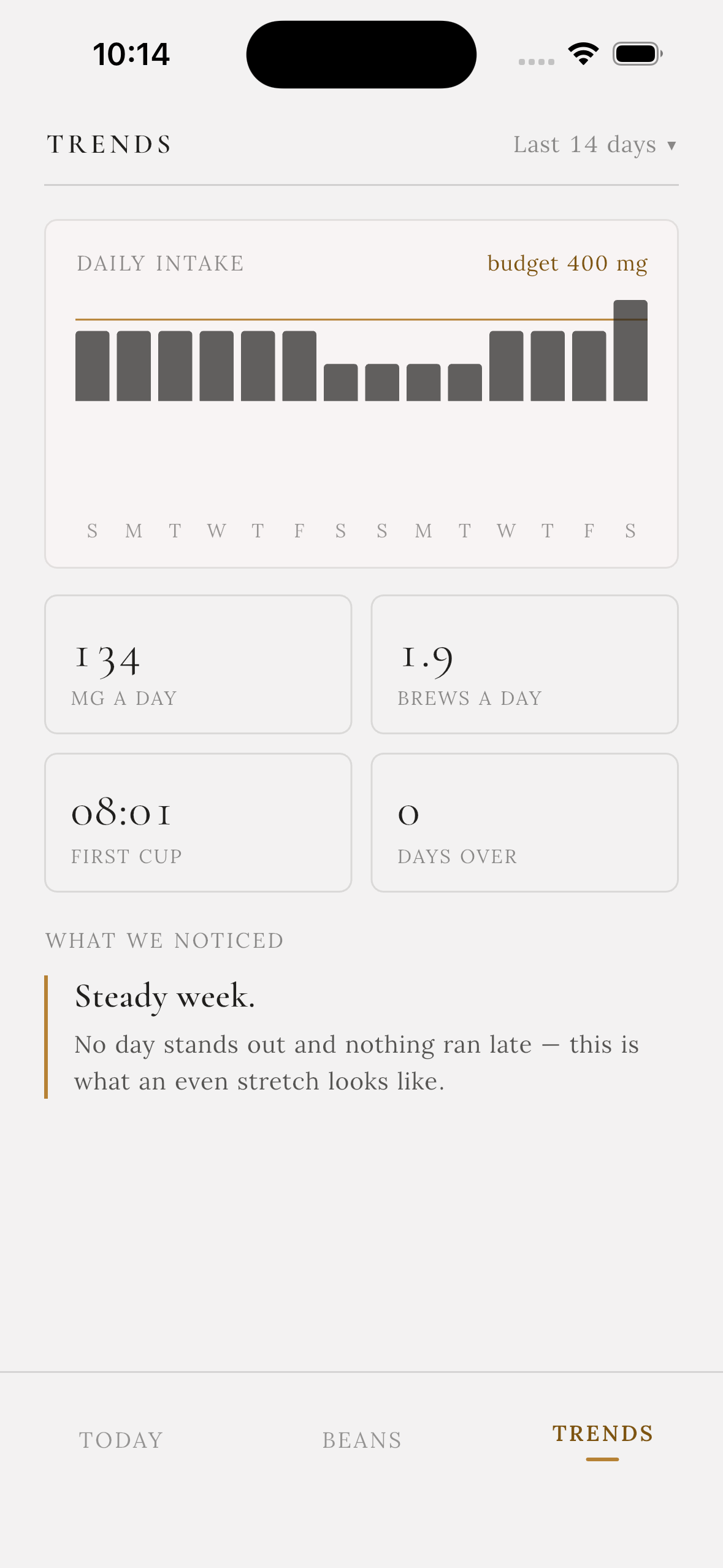
Two weeks of intake against your budget, your average first cup, and a short read on what changed. It is a diary, not a scold: the app says what it sees and leaves the judgement to you.
- Daily intake bars with your budget line drawn over them
- Milligrams a day, brews a day, first cup, days over
- A plain-language note on the pattern behind the numbers
How it works
Three steps, once.
-
01
Set a budget and a bedtime
Two numbers in onboarding. Everything else in the app is derived from them.
-
02
Add your bags
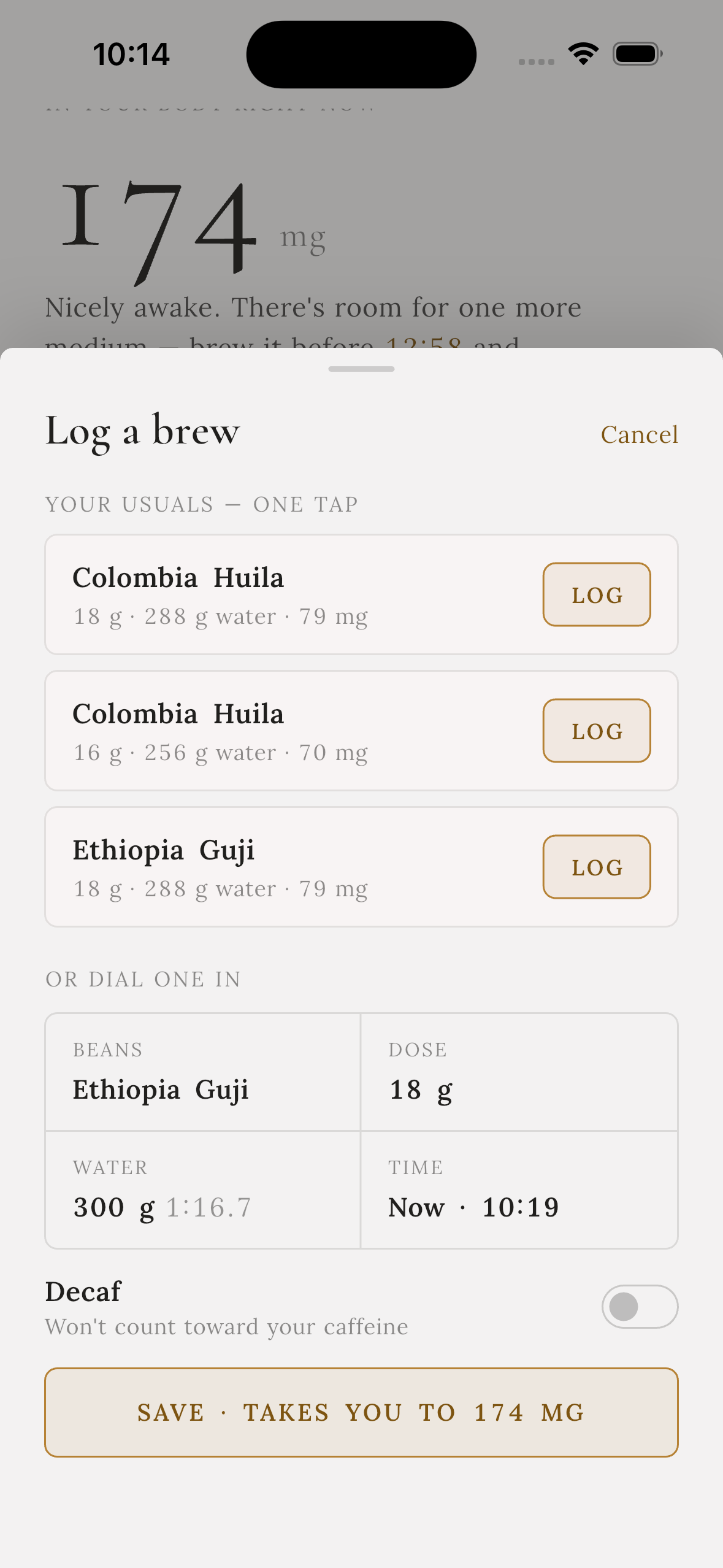
Name, weight, roast date, price. Your usual doses become one-tap presets.
-
03
Log as you brew
One tap for a usual, a few seconds to dial a new one. The curve does the rest.

Your coffee diary stays yours
Caffeinity is built to be useful with the network switched off. Your logs, bags and settings live on your device first, and nothing you record is sold, brokered or handed to an advertiser.
- No ads, no ad SDKs Nothing on any screen is bought.
- No account required to start Onboarding sets two numbers and lets you in.
- Nothing is deleted if you stop paying A lapsed subscription hides features, never history.
- Export whenever you want Your log is a file you can take with you.
Questions
Before you download
How does it estimate caffeine?
From your dose and brew ratio, decayed on a five-hour half-life. It's a model, not a blood test, but it tracks how you feel far better than a cup count does.
Do I have to weigh my coffee?
No. Save your usual once and log it in a tap. Weighing makes the bean stock and cost-per-cup numbers sharper, but nothing depends on it.
Does decaf count?
There's a decaf switch on the log sheet. The brew still comes off your bag and shows in your history, it just doesn't touch the curve.
What's free and what's Pro?
Free covers daily tracking, two bags on the shelf and a week of history. Pro opens full history and an unlimited shelf. Nothing you logged is ever taken away.
Tea, cans, shop coffee?
Log them as a brew with an estimated milligram figure. The curve treats every source the same way.
Is my data synced?
The app works fully offline and keeps your log on device. Sync is there to move it between your own devices, not to build a profile of you.
Know where you are by 3pm.
Free to start. No account, no ads, no advice you didn't ask for.